School Board Meeting Conduct & Procedures
Pennsylvania Leadership Charter School (PALCS) Board Meetings are conducted via Zoom and broadcast live. Agendas and Zoom access links are posted on the PALCS website at the following link.
Meeting Structure
Board Meetings consist of two sessions:
- Executive Session
Held prior to the public meeting and reserved for matters related to legal issues, real estate, and personnel, in accordance with Pennsylvania law. Executive Sessions are not open to the public. - Public Session
Begins immediately following the Executive Session. Members of the public will be admitted into the Zoom meeting at that time. Those who arrive early will remain in the Zoom Waiting Room until the Public Session begins.
Board Meetings follow a structured agenda. Opening activities include Roll Call and the Pledge of Allegiance. The Board will then call for any additions, deletions, or modifications to the agenda and to the previous month’s meeting minutes before proceeding to Public Comment.
Public Comment Procedures
The Public Comment portion of the meeting provides an opportunity for parents, guardians, and community members to share comments and express opinions on school-related matters. It is not intended as a forum for dialogue or debate with Board members.
Individuals wishing to provide public comment are encouraged to notify the Board in advance by emailing boardinfo@palcs.org with their name and the topic they wish to address.
Each speaker will be allotted a limited amount of time, typically 2–3 minutes. Meeting moderators reserve the right to mute participants who exceed their allotted time to ensure fairness and adherence to the agenda.
To request to speak during Public Comment:
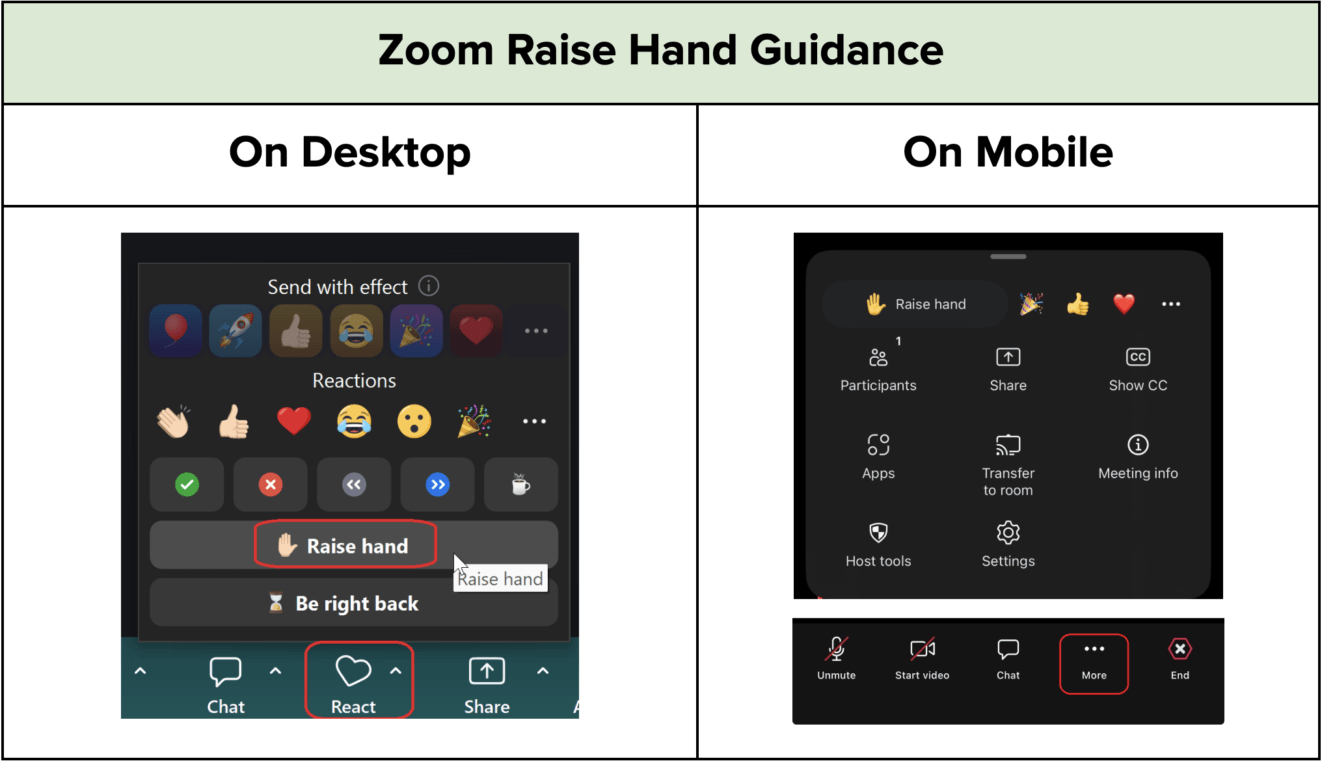
- Use the “Raise Hand” feature located in the Reactions section of the Zoom toolbar.
- Speakers will be recognized by their Zoom display name.
- When recognized, please clearly state your name for the record before beginning your remarks.
Please note:
- The Zoom Chat feature will be disabled during Board Meetings.
- Additional resources on using the Raise Hand feature are available below and on the Zoom support website.
We appreciate your cooperation in maintaining a respectful and orderly meeting environment.